ZEEP, audio editor for Android
Just edit your audio.
- There is no login.
- The editor is fully free, and it stays that way.
- There are no ads, so nothing interrupts your edits.
- Editing runs on your phone.
- Effects play back as you change them, with nothing to render first.
ZEEP is a multitrack audio editor for Android phones and tablets. You record or import audio, stack clips on lanes, cut and trim right on the waveform, and shape the sound with Denoise, a parametric Equalizer, a five-knob compressor and one-tap loudness matching. Every tool, every lane and every export format is part of the free editor. ZEEP Pro is an optional subscription for the Library: folders, Projects and OneDrive sync.
Android 9 or newer. Phones and tablets.
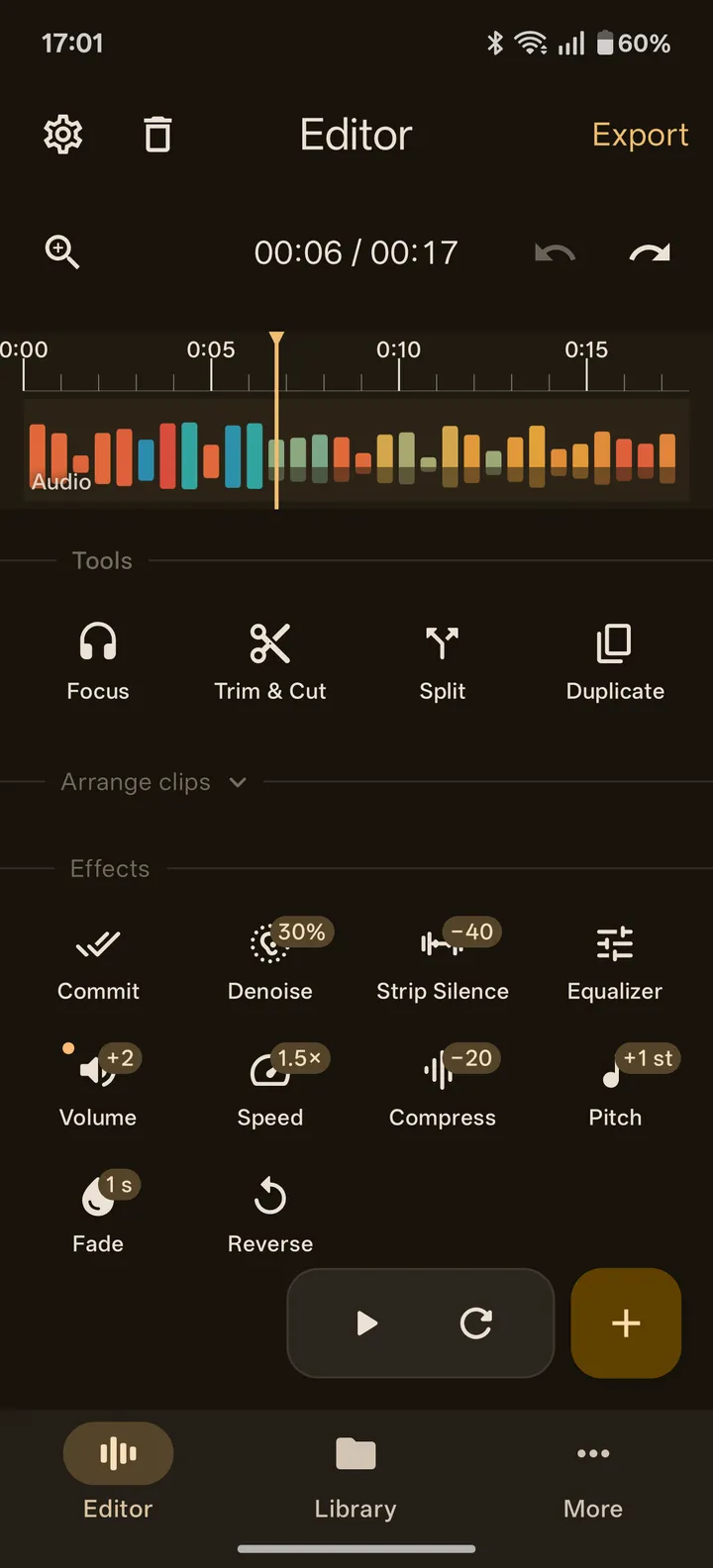
Tools
Every tool works on the clip you select, and effects play as you drag their controls. The Equalizer draws a live analyzer under its bands. Compress has a gain reduction meter with a green zone from 2 to 6 dB to aim at. Volume reads the clip in LUFS and matches it to your target with one tap. See every tool
Workflow
Record straight onto a new lane, or import audio and the sound from video files. Drag clips between lanes, split and join them, then export. Turn the phone sideways and the timeline fills the screen. How a session works
ZEEP Pro
Pro syncs your Library with your own OneDrive, so your files reach your PC and a Project started on your phone opens on your tablet. It also adds Library folders and Projects you can switch between with every edit intact. The editor never needs it. What Pro adds
Guides
Step by step, for your first edit: Clean up a voice recording · Cut and trim audio
Questions people ask
Is ZEEP free? Yes. The editor is fully free, and it stays that way: every tool, every lane, every export format. ZEEP Pro is an optional subscription for Library folders, Projects and OneDrive sync.
Does ZEEP have ads? No. There are no ads in ZEEP, so nothing interrupts your edits.
Do I need an account? No. There is no login. Open the app and edit.